Showing posts with label iOS. Show all posts

Saturday, July 5, 2014

Using CoreLocation and MapKit

I have been going thru BNR iOS book. Here are few of examples I did step by step while going thru the chapters.

In https://github.com/technobuzz/WhereAreYou I used the CoreLocation and the MapKit. CoreLocation allows the device to figure out the geographical location.

In the view controller,  I used the CLLocationManager class which controls the geographical capabilities for the device. Note that I had to add the CoreLocation framework to the project, and add the following to the header file to use it


#import <CoreLocation/CoreLocation.h>

Moreover, added the CLLocationManagerDelegate to the view controller.

As well, in the view controller i used the MapKit. The MapKit allows you to show a Map on the device. This too required that I had to add the MapKit framework to the project, and add the following to the header file to use it:

#import <MapKit/MapKit.h>

For the MapKit library, I made use of MKMapView class. as well as the MKMapViewDelegate

In the MKMapView class, there is a method didUpdateUserLocation which tells us that the users location was updated.  In this method gets invoked within the view controller, I make it zoom in on the map as follows (with a 250x250 meter region):

CLLocationCoordinate2D loc = [userLocation coordinate];
MKCoordinateRegion region =
MKCoordinateRegionMakeWithDistance(loc,250,250);

In this example, a location on the map is indicated using MKAnnotation. I created a class that conforms to MKAnnotation.

Note: I also did their QuizApp.

Sunday, June 15, 2014

Storyboard and Segue


On interface builder, it almost looks like 2 nibs same time with transition in middle (known as segue) .
You specify in code what you want to make happen. On the right side of scene you can see transition details : identifier: ShowAlternate, type is Modal, FlipHorizontal. There is an action on button inform Destination Controller that delegate will be self

src3.pdf on page 32:

- (void)prepareForSegue:(UIStoryboardSegue *)segue sender:(id)sender
 {
if ([[segue identifier] isEqualToString:@"showAlternate"]) {
[[segue destinationViewController] setDelegate:self];
}
}

storyboard-and-unwind-segue

with storyboard you can have multiple views on a same board. It introduces segues. Segues represent transitions between screens. Opening a storyboard and your have pretty good idea of the UI flow at a glance.


Saturday, June 7, 2014

Linkery from WWDC 2014


The WWDC keynote - analysis  (http://www.macvoices.com/wordpress/episodes/http://www.twonerdsflipout.com/wwdc-2014/

Note that at the 1:43 mark is when Swift is mentioned:
  • xcode 14 million downloads
  • objective  C has served for 20 years, but what if we did it without baggage of C - "did more than think of it"
  • swift - fast, modern, interactivity
  • type inferences, closures, generics, multiple return types, name spaces
  • native to cocoa same lvm compiler, same arc memmory management, same run time
  • work beside objcective C in same application
  • Use of "playgrounds" within Xcode - running code as you write it showing sidebar, can see imagefunctional - closure  on array elements
  • language guide (Swift eBook) and reference implementation available

Swift Kick in Head
  • Swift is like JavaScript in that a line break is enough to mark the end of a statement, and ending them with semicolons is optional
  • Swift associates types with variables. The compiler infers the variables’ types from the values assigned to them
  • Int, Float, Double, Bool, (whose values are true and false as opposed to Objective-C’s YES and NO) , String - forcing a Float type for what could be a double if type not specified -  var someValue:Float = 3.0
  • function definition example: func circleArea(circleRadius: Double) -> Double
Getting started with Swift


swift programming language intro

  • Playgrounds that allow you to experiment Swift and see the result in real-time. In other words, you no longer need to compile and run your app in the Simulator. As you type the code in Playgrounds, you’ll see the actual result immediately without the overheads of compilation.
  • Swift allows you to use nearly any character for both variable and constant names. You can even use emoji character for the naming
  • strings are represented by the String type - Whenever you assign a string as variable (i.e. var), the string can be modified in your code
  • Swift allows you to compare strings directly by using the == operator
  • Objective C you use the addObject: method of NSMutableArray to add a new item to an array. Swift makes the operation even simpler. You can add an item by using the “+=” operator
  • Swift only provides two collection types. One is arrays and the other is dictionaries.
  • You can define classes in a single file (.swift) without separating the external interface and implementation
  • Swift requires you to provide the default values of the properties or a ?.

Swift for scripting

Swift Flappy birds four hours


http://stratechery.com/2014/steve-jobs-wouldnt-done/

The Alt Conference - http://www.altconf.com/

Casa De Mora

http://daringfireball.net/thetalkshow/2014/06/06/ep-083

http://kpbp.github.io/swiftcheatsheet/

http://www.cnet.com/news/apples-swift-explained-what-it-is-and-what-it-means/

https://developer.apple.com/videos/wwdc/2014/

http://inessential.com/2014/06/06/early_thoughts_on_wwdc_2014

Adding Juice

https://github.com/fullstackio/FlappySwift

http://www.cnbc.com/id/101728354

https://gist.github.com/jonathanpenn/c69e7b8485e29ffff598

Cloud services

http://www.designntrend.com/articles/14812/20140602/wwdc-2014-what-reveals-apple-goals-comparison-google.htm


http://www.iphonelife.com/blog/31369/wwdc-2014-7-huge-ios-8-advancements-app-developers

http://blogs.vmware.com/euc/2014/06/ios-8-huge-hit-enterprise-new-features-management-productivity-security.html

http://9to5mac.com/2014/06/03/ios-8-webkit-changes-finally-allow-all-apps-to-have-the-same-performance-as-safari/

Thursday, June 5, 2014

Few folks with iBeacon experiences

How i tracked house movements...
Next, I wanted to see if I could track movements in my own house as a simple test, without creating a custom app. I looked for a few apps that could detect the iBeacons and execute an action. There are a few apps capable of doing this – all of them somewhat limiting. The only app I found that allowed me to control what happens when triggering an iBeacon was an app called Placed.
Coding for iBeacons
One limitation iOS has, versus OS X and Android, is the inability to listen for iBeacon regions indiscriminately. The application must explicitly request monitoring for each and every UUID it is interested in hearing about. This is no doubt better for the user’s battery, but isn’t really spelled out clearly in the docs.

Monday, June 2, 2014

WWDC sampling from interwebs

The Keynote...

The  musical

HealthKit , Cloud, ...

Chris "For now, it’s going to be able to live alongside existing Objective-C code however, I fully expect that it’ll become the standard; either from developer adoption or by Apple eventually forcing everyone to use it"

iOS8 Family Sharing, et al..

Mac 10.10 Yosemite:

  • Improved Notification Center 
  • Improved Spotlight - can also show additional info from the Internet as well as third-party applications
  • SMS and call support
  • meshed iOS and Mac OS X into one
  • iCloud Drive with sharing
  • you annotate and scribble on images or PDF files without third-party sw
  • Safari smart search field and suggestions, along with improved tabbing
  • sync files and communications between the mobile and desktop OS with handoff

iOS 8 and Yosemite available for developers

Swift : https://developer.apple.com/swift/ [integration guide]

http://www.technobuffalo.com/2014/06/02/apple-swift-programming-language-unveiled/

http://www.technobuffalo.com/2014/06/02/apple-swift-programming-language-tools-now-live/

http://www.technobuffalo.com/2014/06/02/ios-8-find-out-if-your-device-is-supported/

Keynote live blog

iOS8 news

Home automation

New photos app iOS8

Family sharing

Sunday, May 11, 2014

My first cocoa conf in links

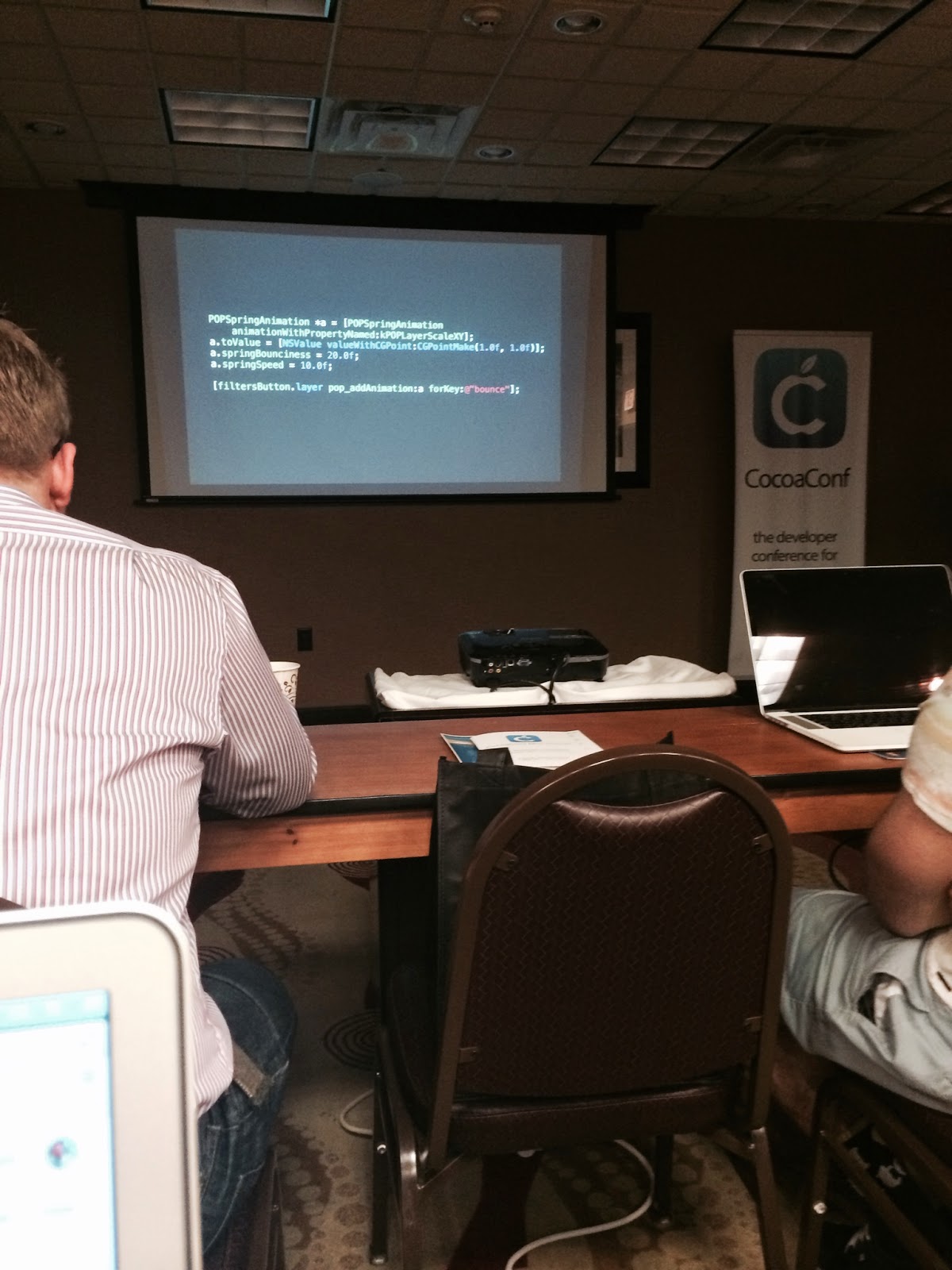
Solomon Klein was the host of the CocoaConf Mini Raleigh 2014 [eventifier] .


Mike Rundle  [of flyosity.com] spoke on Making world class animations.

The mention of the book : "The illusion of life"-  A book on 12 basic principles with Disney for hand drawn animations but they apply to today.
  • squash and stretch - most important, weight and flexibilty to objects, keeping form as go smaller
  • anticipation - prepare audience its more realistic. i.e. ballet dancer action before it happens 
  • follow through - antenna on a car , hair continues to move at stop 
  • slow in and out - easing out 
  • arcs trjectory - animations can adhere to this. i.e.baseball being thrown arcs being shown prior thrw 
  • secondary action - more life, lively 
  • appeal - vibrant 
  • transition - 2 visual states (dont just throw you into it)
  • focus - direct user attention (recent updated, eyes move)
  • delight interaction more appealing
Uikit Dynamics - llustrates the use of UIKit Dynamics for adding physics-related capabilities to views and other dynamic items.

JNWSpringAnimationDemo - generate steps https://github.com/jwilling/JNWSpringAnimation

Facebook pop - paper (& Our Choice All Gore App did animation) figures out values PopSpringAnimation - initial velocity from gesture basement menu, hamburger menu


iBeacon - announced last year wwdc
- bluetooth spec - hw device acts like a beacon
- api

unique identifier - 16 byte
major id - 2 byte
minor id - 2 byte  (thing within store)
measured power -  1 byte what signal decibals 1 meter away from beacon

applications: retail, interactive guides

hardware criteria - readily available, production ready, configurable easily, acceptable enclosure,

jan 2014 spec was not out.

Estimotes  - in biz before announced, made them match apples 3 for 100 bucks, nice and apple looking like , minimal sticky surface on bottom, extra sensors with accelerometer and temp - fixed uuid identifier for all, battery not replaceable, sdk
Roximity beacons - plain, battery replaeable, fixed uuid, sdk, retail platform  with web dashboard and their app.
bleu station - not battery w usb , plain beacon implementation, app comes with it
kst particle - comes with an app, blue tooth explorer app,
ios device ios4 +
buybeacons.com

api:
region monitoring
create CLBeaconRegion uiid , major (optional), minor (optional)

specify notification desired (entry,exit, entryOnDisplay)

region = [[CLBeagonRegion alloc] nitWithProximityUUID: uuid major: x minor:y identifier :@"something)

CLLocationManager

locationManager setDelegate

startMonitoringForRegion

locationManager:didEnterRegion

locationManager:didDeterminState:forRegion

region monitoring works in background continues even if app is shut down force quit, phone restarted

has no notion proximity - sees it or it doesnt

low energy fine, but alot of beacons around not so much

ranging beacons
- list of beacons it sees and how far to these
- ranging
startRangingBeaconsInRegion

didRangeBeacons:inRegion

this is foreground only

proximity - unkown, immediate , near, far

https://t.co/qat9g14kbP

https://github.com/mpospese/BeaconDemo


Core Data Done Right -

not a database, model editor sucks

moGenerator - http://rentzsch.github.io/mogenerator/ - command line tool
http://nshipster.com/nscoding/

NSFetchedResultsController
UITable View, also a controller delegate
sections, fetched objects NSFtechRequest
As far as upgrading apps, certain actions forec migration in xcode
ios introduced parent, child thing, old way was a background thread where you had to listen, now go to child and it tells parent when to update (core data not thread safe), throw context away if decide to cancel
http://www.cocoanetics.com/2012/07/multi-context-coredata/
http://floriankugler.com/blog/2013/5/11/backstage-with-nested-managed-object-contexts
http://www.tyreeapps.com/cocoaconf/RDUCDDR.zip


rob rhyne

stats against you making a living on an app. Shoot for middle

Find your niche or perspective on world


Dave smith http://david-smith.org/ episode 132 

Feed wrangler


Talk about it, share it with others, sneak peak , you are special keep going


UIKit Dynamics

Physics light

UICollisionBehavior
UIPushBehavior

Collision
Gravity
Push
snap
DynamicItem


Multipeer connectivity

Adhoc network iOS devices

AirDrop example


Advertise 
- peer id

Discover
Invite
Connect
Communicate 

Everybody equal, nobody acts as server

@import MultipeerConnectivity


MCBrowserViewController


WWDC talk 708 - Nearby Networking with Multipeer Connectivity


Jay Thrash


Ken Auer


Prototype

Aza Raskin You are iterating solution as well as understanding problem 

Small fidelity and medium fidelity

Validate understanding and find real requirements


Balsamiq
Xcode


Method swizzling

Framework7 -CSS like ios7 screens


Objective cloud


NsUrlProtocol


James Dempsey


Makeover ios7

Worked apple 96 for 15 years

Reverb

Beats big. News

Table view

Tpsworldlistviewcontroller

Clicked upgrade

Extended edges  lose translucency 

Adjust scroll view insets can't get to top

Want those turned on

Label with style subtitle

Look at system apps

Dynamic type ... Tuned system fonts lighter on bigger font

User control text content size  7 settings relative not how big font is
Like t shirt sizes

Semantic txt styles. 6 constant headline, body, sub headline , footnote, caption on fonts

UI Font API 

Preferredfontfortextstyle:

Change size does not update  in settings

UIApplication property


App would have to code for it been though settings on interface builder

Notification methods

UIContentSizeCategory

Relative simple table, keep it simple
variable row heights
Add extra cell use sizethatfits

Or defer height calculation until display

Estimatedheightforrowatindexpath


Dynamic type disasters 

http://tapas-software.net/img/table_view_makeover.pdf


Saul Mora http://nsbrief.com/ http://magicalpanda.com/

Worked on http://thetreebook.com/
KVO Key value Observer : key paths we are watching for (avoid ton of if statements)

Parse API

ResponderChain - chain whebey it bubbles up - AppDelagate part of responder chain. Note that can't use responder unless on screen.

Don't put logic ViewController , put logic (to class) as a property in App delegate. Whereby, sned message from controller to invoke logic.

Class Cluster - reassign self

Dynamic KVO Handler method:

https://github.com/magicalpanda/MGPCommandBus

Bill Bumgarner

http://revealapp.com/

Sunday, December 29, 2013

Beaconville

The technology that still works even if cell signals are blocked ( i.e.  cell phone jamming ) is Beacon or  iBeacon (apple) :

"They are poised to transform how retailers, event organizers, transit systems, enterprises, and educational institutions communicate with people indoors. Consumers might even want to deploy them as part of home automation systems ."

With iBeacons :

"companies will be able to provide deals to people that are walking past their stores. But for now, iBeacon will simply help people that are already inside an Apple retail location." [more]

Payments - Proxima Wallet :

"On the user’s side, there is no physical credit card to take from your wallet; you do everything in the app. On the vendor’s side, there is no card reader that needs to be plugged into your phone; the iPhone itself, as you bought it, is the cash register. No swiping required"

'you’re able to get an approximate range in terms of distance to the beacon,” Nolan says. “So you join the queue to buy something from the vendor and when you get to the top of the queue the vendor can take your order, which is all seamlessly handled by the software the vendor uses. You approve the purchase and the entire communication is handled securely over the multipeer APIs Apple shipped in iOS 7, and proxied through the vendor’s device if your device does not have a currently responsive Internet connection'

Thursday, December 26, 2013

Javascript has landed in iOS


https://github.com/node-app/Nodelike : "implement a roughly Node.JS-compatible interface using JavaScriptCore.framework on iOS 7 and OS X Mavericks"

http://nodeapp.org/ : "Node.JS interpreter as an iOS app," 

http://blog.bignerdranch.com/3784-javascriptcore-and-ios-7/ : "JavaScriptCore gives developers deep access to the full JavaScript runtime from Objective-C. You can syntax-check and execute scripts, access variables, receive callbacks, and share Objective-C objects, making possible a wide range of interactions."

 http://strongloop.com/strongblog/apples-ios7-native-javascript-bridge/ : "Apple’s iOS7 is the first iOS operating system to officially support JavaScript as a mobile development language in Apples XCode tool chain. Apple’s iOS7 support of JavaScript inline with your Objective-C code validates JavaScript as the leading (and only) non proprietary language that is supported within the iOS development environment by the device manufacturer."

Saturday, November 30, 2013

Some Good iOS7 resources


The site by Ralf Ebert has  some good basic introduction for iOS. Of course, I have to use chrome translate to read it in english.

cocoanetics - You can make any iOS device (>= iPhone 4S) and any Mac (>= late 2011) sporting a BTLE chip into an iBeacon.
An iBeacon is identified by 3 values: proximityUUID, Major and Minor. The first being a UUID and the two latter being two 16 bin integers. You can construct a CLBeaconRegion in 3 levels: only UUID, UUID plus Major, UUID plus Major plus Minor.
AutoLayout - rather than the master / details , gives the ablity to edit details inline

http://nshipster.com/ios7/

http://www.codersgrid.com/2013/10/04/ios7-code-sample-snippets-of-new-functions/

http://www.appcoda.com/uipageviewcontroller-tutorial-intro/

http://maniacdev.com/2013/11/top-ios-development-resources-for-week-ended-november-10th-2013

http://nathanbarry.com/app-design-handbook/#packages $39

http://mobile.smashingmagazine.com/2013/11/22/four-ways-to-build-a-mobile-app-part1-native-ios/

http://www.codelord.net/2013/10/18/adapting-scroll-views-to-ios-7/

http://coenraets.org/blog/2013/09/phonegap-and-cordova-with-ios-7/

http://www.raywenderlich.com/store/ios-apprentice

Thursday, November 7, 2013

Harvard Building Mobile Applications Course Week 3 iOS6

On to the week 3 lecture transcript  and video of the Harvard Building Mobile Applications Course . The lecture slides , code slides as pdf , and code supplement the presentation.


UI Kit : API for UI related things

Templates:

  • Empty Application
  • Single View Application
  • Utility Application
  • Master-Detail Application 
  • Tabbed Application
Program #1:
program flow : main.m -> AppDelegate:
@class ViewController - forward declaration to avoid circular references

didFinishLaunchingWithOptions method  :
self viewController  given ViewController class
self window rootViewController given the self viewController

- (BOOL)application:(UIApplication *)application didFinishLaunchingWithOptions:(NSDictionary *)launchOptions
19. {
20. self.window = [[UIWindow alloc] initWithFrame:[[UIScreen mainScreen] bounds]];
21. self.viewController = [[ViewController alloc] initWithNibName:@"ViewController" bundle:nil];
22. self.window.rootViewController = self.viewController;
23. [self.window makeKeyAndVisible];
24. return YES;
25. }

Program #2:
Master-Detail application  example -see View Controller types:

The App Delegate header file which provides a navigation controller:
@interface AppDelegate : UIResponder <UIApplicationDelegate>
16. @property (strong, nonatomic) UINavigationController *navigationController;


example created a instance of class MasterViewController in AppDelegate.
- The root controller here is navigation controller  with  master controller:
- self navigationController which is a UINavigationController which is initialized with MasterViewController instance


- (BOOL)application:(UIApplication *)application didFinishLaunchingWithOptions:(NSDictionary *)launchOptions
18. {
19. self.window = [[UIWindow alloc] initWithFrame:[[UIScreen mainScreen] bounds]];
20. MasterViewController *masterViewController = [[MasterViewController alloc] initWithNibName:@"MasterViewController" bundle:nil];
21. self.navigationController = [[UINavigationController alloc] initWithRootViewController:masterViewController];
22. self.window.rootViewController = self.navigationController;
23. [self.window makeKeyAndVisible];
24. return YES;

MasterViewController -> UITableViewController -> UIViewController

Te header file shows MasterViewController provides a detailViewController:

@interface MasterViewController : UITableViewController
17. 
18. @property (strong, nonatomic) DetailViewController *detailViewController;
19. 
20. @end


The implementation of MasterViewController has a init method for nib:
- the method is passed from the AppDelegate: @"MasterViewController" bundle:nil];
- The top of the navigation list shows a title of Master


22. - (id)initWithNibName:(NSString *)nibNameOrNil bundle:(NSBundle *)nibBundleOrNil
23. {
24. self = [super initWithNibName:nibNameOrNil bundle:nibBundleOrNil];
25. if (self) {
26. self.title = NSLocalizedString(@"Master", @"Master");
27. }
28. return self;
29. }
30.


MasterViewController:
- method viewDidLoad invoked when the particular view loads such as adding things to view
- method numberOfSectionsInTableView is how many sections in table
- method numberOfRows inSection is how many entries in section
NSIndexPath is row and section
UIBarButtonSystemItemAdd  constant of enum  of UIBarButtonItem
UITableViewCell is the cell in view
- When view loads adds edit button after calling parent and drags item into navigation bar

- (void)viewDidLoad
32. {
33. [super viewDidLoad];
34. self.navigationItem.leftBarButtonItem = self.editButtonItem;
35.
36. UIBarButtonItem *addButton = [[UIBarButtonItem alloc] initWithBarButtonSystemItem:UIBarButtonSystemItemAdd target:self action:@selector(
insertNewObject:)];
37. self.navigationItem.rightBarButtonItem = addButton;
38. }

sections are grouping of rows.
 - (NSInteger)numberOfSectionsInTableView:(UITableView *)tableView
53. {
54. return 1;
55. }
56.

how many rows

- (NSInteger)tableView:(UITableView *)tableView numberOfRowsInSection:(NSInteger)section
58. {
59. return _objects.count;
60. }
61.

add new row (method from the selector when creating nib). Index path is section and row.

- (void)insertNewObject:(id)sender
41. {
42. if (!_objects) {
43. _objects = [[NSMutableArray alloc] init];
44. }
45. [_objects insertObject:[NSDate date] atIndex:0];
46. NSIndexPath *indexPath = [NSIndexPath indexPathForRow:0 inSection:0];
47. [self.tableView insertRowsAtIndexPaths:@[indexPath] withRowAnimation:UITableViewRowAnimationAutomatic];lectures/3/src3/MasterDetail/MasterDetail/MasterViewController.m
48. }


Cell population:

- (UITableViewCell *)tableView:(UITableView *)tableView cellForRowAtIndexPath:(NSIndexPath *)indexPath
63. {
64. static NSString *CellIdentifier = @"Cell";
65.
66. UITableViewCell *cell = [tableView dequeueReusableCellWithIdentifier:CellIdentifier];
67. if (cell == nil) {
68. cell = [[UITableViewCell alloc] initWithStyle:UITableViewCellStyleDefault reuseIdentifier:CellIdentifier];
69. cell.accessoryType = UITableViewCellAccessoryDisclosureIndicator;
70. }
71.
72. NSDate *object = _objects[indexPath.row];
73. cell.textLabel.text = [object description];
74. return cell;
75. }

Program #3 (storyboards)
storyboard - simply user interface process
started with utility application
Looks like 2 nibs same time with transition in middle (known as segue)
specify in code what you want to make happen
Right side of scene you can see transition details : identifier: ShoAlternate, type is Modal, FlipHorizontal
There is an action on button
inform Destination Controller that delegate will be self


Program #4 (Gestures)

Added the images to the project
Have the UIImageView in the nib


@interface ViewController ()
// private properties

@property (nonatomic, readwrite, weak) IBOutlet UIImageView *imageView;
@property (assign, nonatomic, readwrite) int index;
@property (nonatomic, readwrite, strong) NSArray *robs;

// private methods
- (void)alertView:(UIAlertView *)alertView didDismissWithButtonIndex:(NSInteger)buttonIndex;
- (void)handleLongPress:(UILongPressGestureRecognizer *)sender;
- (void)handleSwipe:(UISwipeGestureRecognizer *)sender;


@end


INITIALIZE array:

- (id)initWithNibName:(NSString *)nibNameOrNil bundle:(NSBundle *)nibBundleOrNil
{
  ...
    
        // prepare Robs
        self.robs = [[NSArray alloc] initWithObjects:@"rob1.jpg", @"rob2.jpg", @"rob3.jpg", nil];
        self.index = 0;
    }
    return self;

}


- (void)viewDidLoad:

// load image
    self.imageView.image = [UIImage imageNamed:[self.robs objectAtIndex:self.index]];


- (void)handleSwipe:(UISwipeGestureRecognizer *)sender
{
    // handle swipe
    UISwipeGestureRecognizerDirection direction = [(UISwipeGestureRecognizer *)sender direction];
    switch (direction)
    {
        // ignore up, down
        case UISwipeGestureRecognizerDirectionUp:
        case UISwipeGestureRecognizerDirectionDown:
            break;
            
        // left
        case UISwipeGestureRecognizerDirectionLeft:
            self.index = (self.index + 1) % [self.robs count];
            break;
            
        // right
        case UISwipeGestureRecognizerDirectionRight:
            self.index = (self.index + [self.robs count] - 1) % [self.robs count];
            break;           
    }
    
    // update Rob
    self.imageView.image = [UIImage imageNamed:[self.robs objectAtIndex:self.index]];

}


Gestures -UI*GetsureRecognizer .i.e. UIPinchGestureRecognizer


storage

NSDefaults - interface for storing persisently, settings, configurable items
SqlLite store using api, written in c
xml, json
Core Data
Property Lists - dictionary of strings , plist files - xml, key value pairs:

PList program


Sunday, November 3, 2013

Harvard Mobile Course Lecture on iOS6 MVC


I finally got around again to the Harvard Building Mobile Applications Course, finishing up the lecture #2 on the Apple iOS6  MVC material. The lecture (pdf) and souce code (pdf) ,The entire zipped up code can be found here.

this lecture goes over the basics of a Single View Application (MVC) implemented with a nib , along with introducing the UIAlertView

XCode - New Project -> new empty application (delegate and window), MasterDetailApplication, SingleViewApplication, Tab Application

main.m : function - it returns  UIApplicationMain() which passes in reference to AppDelegate

#import <UIKit/UIKit.h>
#import "AppDelegate.h"
int main(int argc, char *argv[])
{
@autoreleasepool {
return UIApplicationMain(argc, argv, nil, NSStringFromClass([AppDelegate class]));
}
}


AppDelegate.h file:
inherits from UIResponder  - conforms to UIApplicationDelegate protocol
- has properties UIWindow *window  & ViewController  *viewController 
See: http://vimeo.com/46551853

#import <UIKit/UIKit.h>
 @class ViewController;
 @interface AppDelegateUIResponder <UIApplicationDelegate>
@property (strong, nonatomic) ViewController *viewController;
@property (strong, nonatomic) UIWindow *window;
@end

AppDelegate.m file: 
AppDelegate (.m file) - has EVENT callbacks:

  • applicationWilResignActive ()
  • ApplicationDidEnterBackground()
  • applicationWillEnterForeground()
  • applicationWillTerminate()
  • ApplicationDidBecomeActive()
  • didFinishLaunchingWithOptions()

#import "AppDelegate.h"
#import "ViewController.h"
@implementation AppDelegate
- (BOOL)application:(UIApplication *)application didFinishLaunchingWithOptions:(NSDictionary *)launchOptions
{
self.window = [[UIWindow alloc] initWithFrame:[[UIScreen mainScreen] bounds]];
self.viewController = [[ViewController alloc] initWithNibName:@"ViewController" bundle:nil];
self.window.rootViewController = self.viewController;
[self.window makeKeyAndVisible];
return YES;
}

@end

UIKit - ui sdk
UIView - something on screen (the V)
UIViewController - http://www.ralfebert.de/archive/ios/tutorial_iosdev/viewcontroller/ (the C but called ViewController)
plist is preferences files (xml).


https://developer.apple.com/library/ios/featuredarticles/ViewControllerPGforiPhoneOS/Introduction/Introduction.html

ManagingYourApplicationsFlow
- circle is the event loop : sit waiting for you to do something or something external
- main function calls UIApplicationMain() function
- first initialization such as examples such as top scores, reference items, etc application:willFinishLaunchingWithOptions() call back
- restore ui state if you paused for example
- final ui initialization application:didFinishLaunchingWithOptions() callback
- activated app, wit for user to do something applicationDidBecomeActive ()callback
- handle events

http://www.techrepublic.com/blog/ios-app-builder/understand-the-states-and-transitions-of-an-ios-app/

program running - an apple thread can interrupt go sleep (i.e phone call)

police battery life better, may get notifications (i.e.) but have to load app

built in iOS mail more tightly coupled with the operating system


nonatomic - dont bother thread safe code, atomic - multiple threads - i.e. printing, readonly - getter, no setter


 - (BOOL)application:(UIApplication *)application didFinishLaunchingWithOptions:(NSDictionary *)launchOptions
. {
// refer to the window property (i.e UIWindow), allocate it, init with arguements, call mainScreen()
// bounds returns dimensions
self.window = [[UIWindow alloc] initWithFrame:[[UIScreen mainScreen] bounds]];
self.window.backgroundColor = [UIColor whiteColor] ;
// visible and key means important and return success
[self.window.makeKeyAndVisible];
return YES;


AppDelegate (.h file) - inherits from UIResponder  - conforms to UIApplicationDelegate protocol
- also has property (strong,nonatomic) ViewController * viewcontroller
- ViewController inherits from UIViewController, viewDidLoad() for any setup after when controller is loaded, didReciveMemoryWarning()


self.window = [[UIWindow alloc] initWithFrame:[[UIScreen mainScreen] bounds]];
// @ViewController : associate Nib file with Controller
20. self.viewController = [[ViewController alloc] initWithNibName:@"ViewController" bundle:nil];
// the most important controller
21. self.window.rootViewController = self.viewController;
22. [self.window makeKeyAndVisible];
23. return YES;

SingleViewApplication , add text field (inspector shows UITextField), add button

Create an IBOutlet property to connect GUI action to Controller UITextField

Nib: hold file owner(who owns the view) and click control (extension cord) to nib file textfield (64bit memory address), gives few outlets available, select textfield

need cable from nib back to code (opposite of outlet is IBAction)

- (IBAction)go:(id)sender

have to wire from nib to this code (ctrl from button to code i.e. file owner) go methed is presented for selection (touch up inside shown if you ctrl click button afterward)


implement the go method in .m file

- (IBAction)go:(id)sender {
 
    // wired up text field to action did 'end on exit' to owner in nib file
 
    NSLog(@"here %@", self.textField.text);
}


UIAlertView http://www.idev101.com/code/User_Interface/UIAlertView.html
http://nscookbook.com/ios-programming-quick-start-guide/


[textField resignFirstResponder]


keyboard input  - Go - alertview


Here are code take aways:


The UI Alert view

On entering text in the text field and clicking go button we get an UI Alert:

- (IBAction)go:(id)sender {
   
    // wired up text field to action did 'end on exit' to owner in nib file
   
    NSLog(@"here %@", self.textField.text);
   
    // put text field away
   
    [self.textField resignFirstResponder];
   
    NSString *textToDisplay = [NSString stringWithFormat:@"here %@", self.textField.text];
   
    UIAlertView *alert = [[UIAlertView alloc] initWithTitle:@"Hi: " message:textToDisplay
                                             delegate: self cancelButtonTitle:@"Bye" otherButtonTitles: nil];
   
    [alert show ];
   
  
}

As far as NIB file:

the button had an event of 'Touch Up Inside' with file owner of go
 the text field had an event of 'Did End On Exit' with a file owner of go , along with an Outlet of delegate.

As, the controller has a protocol as follows:
@interface ViewController : UIViewController <UIAlertViewDelegate>

Moreover, the controller had to implement this method:

- (void) alertView:(UIAlertView *)alertView didDismissWithButtonIndex:(NSInteger)buttonIndex{

    self.textField.text = nil;


}


Thus,  you enter chars in the text box, click go button, get a UIAlert presented, whereby the keyboard goes away via the call to resign first responder. At that point, the user is able to click the button on Alert and then it resets the text field.

Thursday, October 24, 2013

More on iOS7

I am a happy camper. The biggest complaint I had with the new version of iOS was taking away the ability to search web with the spotlight search. I tried iOS7 and its back. No more removing the url out of the safari address bar.

Yesterday I took in some of the new features of iOS7 at the lunch time learning I attended. The terminology used was that Apple did a "Design Language" overhaul with the new release.  Gone are rich and colorful, replaced flat and simplified.  I need to read up on visual deference. The coalesced updates was a new thing for apple. As in past when you got a text update, it would not trigger things the way the new iOS does.

What developers should do to get ready for the next version of iOS 7 can be found  here (Apple's Transition Guide, UI Design basics , UIKit ).

As for design, the status bar becomes part of the screen real estate.

As for development, Apple’s Xcode 5 allows developers to manage multiple versions of an app, and compare the differences using Apple’s Auto Layout. Also, the button container is gone. Using the assistant editor, you can see how your changes look in iOS6.

Other items:

  • Enterprise single sign on
  • MDM
  • air drop
  • per app vpn
  • background updates


Thursday, October 17, 2013

Together Native and Html5

Peter Traeg of Universal Mind has written an article at Smashing Magazine about mixing together Native and Html5 .
Exposing a portion of the user experience through HTML and JavaScript means that some of the experience can be served from the Web and thus be dynamic. As we saw earlier, it’s possible for this Web-served content to invoke native code in your application via a “bridge” that you create.
Apple allows JavaScript code to be downloaded and executed as long as it runs within the context of the UIWebView control in your iOS application. This is the only situation in which code “downloading” is allowed in iOS.
The UIWebView in iOS and its associated UIWebViewDelegate provide the mechanism that allows native code and JavaScript to communicate with each other.

https://github.com/ptraeg/html5-in-mobile-apps

Monday, September 30, 2013

Stanford Course - Build a Calculator with iOS5

I went thru the Stanford iOS5 code walk thru to build the calculator.  The lecture notes can be found here.

A Few tidbits on the new stuff i learned:

Convert a double to a string - here on the brain object , send title of button pressed to performOperation method which returns a double.  On the NSString method StringWithFormat method, we convert it to a string value
double result = [self.brain performOperation:sender.currentTitle];
NSString *val = [NSString stringWithFormat:@"%g", result];
How to write a getter/setter for a property (in this case an array which get initialized prior to use)
- (NSMutableArray *) operandStack {
     if (_operandStack == nil) {
        _operandStack = [[NSMutableArray alloc] init];
     }
     return _operandStack;
 }
- (void) setOperandStack: (NSMutableArray *) operandStack {
                 _operandStack = operandStack ;
          }

Adding wrapped double in a object to an array:
NSNumber *number = [NSNumber numberWithDouble:operand];
[self.operandStack addObject:number];
 Referencing and then removing object in an array:
NSNumber *number = [self.operandStack lastObject];
if (number)    [self.operandStack removeLastObject]
 Append to current Output String the digit value pressed:
    NSString *newDisplayText = [calculatorOutputText stringByAppendingString:buttonText] ;

Btw, I found this web site cs193p that chronicles the entire course [calculator post]. Another site.  Lastly,  on the apple iOS site  portal or Dev Center, noticed they have section on configuring web applications and things like CSS

One more thing. In the file system on your mac, there is the developer directory. This folder contains about xcode pdf file, a documentation directory, and even a code samples directory.
Related Links:
Objective C Primer
Working with Objective C
NSMutableArray Reference 
NSString Reference

Thursday, September 26, 2013

Don't get iOS 7 yet..

link :
Given all these bugs and issues, combined with some genuine major advances, it’s hard not to interpret this as a beta release that was rushed into production for the release of the iPhone 5S. In a way, it reminds us of the Android 3 release — which was rushed into production for the Motorola Xoom tablet — with severe bugs and performance deficiencies. We’re eagerly awaiting the release of the first update for iOS 7 when we hope Apple delivers on its usual commitment to quality.
I have experienced alot of my applications not working. For example, GMail keeps crashing on iPad and MyFitnessPal on iPhone also crashes when attempting to enter text.

Monday, September 23, 2013

IOS7 Safari

I am not sure how they came up with the share icon with the new release of iOS7 Safari. The stick figures are going to take a long time getting used to. This article goes into extensive detail on the new browser.

http://www.mobilexweb.com/blog/safari-ios7-html5-problems-apis-review

Before the IPhone I never really paid much attention to the Mac culture but the products are great. I guess if you look closely enough you can find faults or stuff you don't like.

This big overhaul in this release of the GUI is pretty dramatic in the amount of changes.  I have found that they stick with their designs and only change when there are flaws.

Saturday, September 14, 2013

A big Apple September

This month has sure been a busy month for me in regards to the amount of Apple intake. Over the Labor day weekend I saw the Jobs movie. It made me think of the early days of home computers and brought back memories of neighborhood kids and I using the Atari 2600 Space invaders in 1980. I also loved that game Breakout. Jobs, Woz  and the group of other founders were pioneers in the new  computer age. I loved the the story of the  blue box.

Also, I watched on my Apple TV the launch of the new line of IPhone devices (to run on iOS7). Internet of Things next for Apple?

Discovered few new apple sites I plan on making use of.  CodeSchool, Objective C basics, Cocoa dev central, and iOS developer toolbelt .